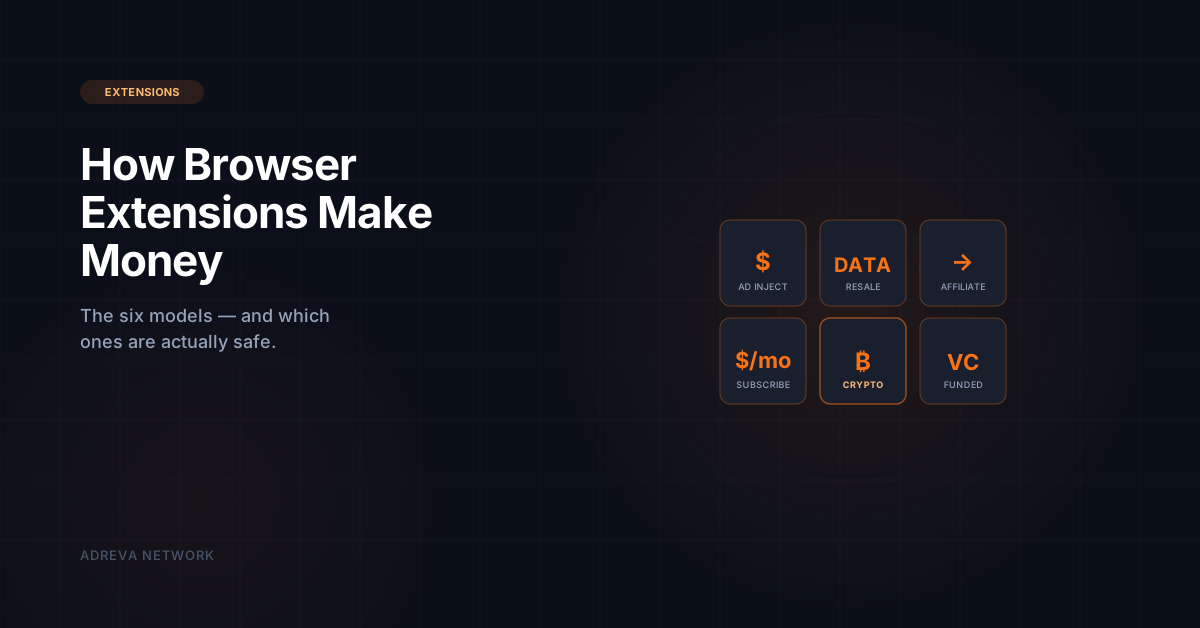
Browser extensions make money through six distinct business models, and understanding which one any given extension is using tells you almost everything about how safe it is to install. The Chrome Web Store hosts approximately 180,000 extensions, and with the Manifest V3 transition still reshaping the category, a meaningful percentage of extensions have either changed business models or been silently acquired by data-harvesting companies in the past two years. The six models are ad injection, data resale, affiliate links, subscription paywalls, cryptocurrency rewards, and venture-funded unmonetized development. Some are user-aligned; others silently monetize browsing data worth $240-600 per user annually. This guide covers how each model works and how to audit any extension for which one it uses.
What Are the 6 Ways Browser Extensions Make Money?
1. Ad Injection
Ad-injection extensions insert additional ads into web pages the user visits, either replacing the site's own ads or adding new ones. Revenue flows from ad networks paying for each impression. This model is widely considered user-hostile because it degrades publisher revenue and the user experience. Most major ad-injection extensions have been removed from the Chrome Web Store under Google's deceptive-behavior policies, but some still operate under different names. Safety grade: Low.
2. Data Resale
Data-resale extensions collect user browsing history, purchase patterns, and behavioral data, then sell it to data brokers, research firms, or ad networks. Users typically receive nothing or trivial "rewards" in exchange for data that is worth hundreds of dollars per year. See What Are Data Brokers? for the full economics. Safety grade: Low to medium, depending on disclosure.
3. Affiliate Links
Affiliate extensions insert referral tags into links or recommend products, earning a commission when the user purchases. Honey (owned by PayPal), Rakuten, and Capital One Shopping are major examples. The model is generally user-aligned when the extension provides genuine value (price comparisons, coupon codes), though some affiliate extensions have been criticized for overwriting other creators' referral tags. Safety grade: Medium to high, depending on practices.
4. Subscription Paywalls
Subscription extensions charge users directly — typically $3-20/month — for premium features like grammar checking (Grammarly), password management (1Password, LastPass), or VPN service. The user is the customer, which usually aligns incentives toward product quality. Safety grade: High when reputable.
5. Cryptocurrency Rewards
Reward extensions like Adreva and Brave Rewards pay users cryptocurrency for viewing privacy-safe ads. Users are paid directly; privacy is architectural; and the model is user-aligned when implemented correctly. See Are Ad Reward Apps Legit? for how to verify a specific platform. Safety grade: High for vetted platforms, low for unvetted ones.
6. Venture-Funded (Not Yet Monetized)
Many extensions operate with no visible business model — funded by venture capital, grants, or the parent company of a product suite. These are often safe in the short term but can pivot abruptly to ads or data resale once their funding runway narrows. Watch for ownership changes as the key signal. Safety grade: Variable; audit annually.
How Do You Tell Which Model Any Extension Is Using?
Four signals reveal the underlying business model:
- Permissions requested. An extension that requests "Read and change all data on all websites" can engage in ad injection or data resale. Limited permissions tightly constrain what monetization models are even possible. See Chrome Extensions and Your Privacy for the full permissions framework.
- Privacy policy. Reputable extensions disclose their business model directly in the privacy policy. Look for language like "we sell anonymized data to third parties" — often the only honest signal of data resale.
- Revenue source disclosure. The Chrome Web Store now requires disclosure of whether an extension monetizes through ads, data collection, or subscription. Check the listing.
- Parent company. Who owns the extension? Look up the publisher on LinkedIn and the state registry. Extensions owned by data-broker parent companies default to data-resale model regardless of surface branding.
How Do You Audit Your Installed Extensions?
A 10-minute audit checklist for any browser:
- Open
chrome://extensions(or equivalent for your browser). - For each extension, check the permissions. "Read and change data on all sites" is the highest-risk permission.
- Review the extension's Chrome Web Store listing. Look for the "Data Usage" section at the top.
- Search the extension name + "data" + "privacy" on Google and Reddit. Real user experiences surface fast.
- Remove any extension you have not actively used in the past 30 days. Unused extensions are pure risk with zero benefit.
- Check the publisher's website — a real company with a real site is a good sign; broken links or no website are red flags.
- Verify the extension is still on the Chrome Web Store. Removed extensions that still run on your machine are particularly concerning.
For a deeper walkthrough of browser privacy auditing overall, see How to Audit Your Browser Privacy in 10 Minutes.
Which Extensions Are Actually Safe to Install in 2026?
Reputable extensions across the six models, based on 2025-2026 public safety records:
| Model | Safe examples |
|---|---|
| Subscription (productivity) | 1Password, Grammarly, Bitwarden, Notion Web Clipper |
| Ad blockers | uBlock Origin, AdGuard, Privacy Badger |
| Crypto rewards (user-paid) | Adreva, Brave Rewards (browser-native) |
| Affiliate (with value) | Honey (with caveats around attribution), Rakuten |
| Dev tools | React DevTools, Vue DevTools, Wappalyzer |
This is not an exhaustive list — any extension that passes the 10-minute audit is worth considering.
How Does Manifest V3 Affect Extension Business Models?
Chrome's Manifest V3 transition, which reached full enforcement in 2024-2025, changed which extensions are technically capable of which business models. MV3 limits extensions' ability to modify web requests in real time, which impacts some ad blockers and privacy tools. It also requires clearer permissions disclosure and tighter code review. The net effect has been modestly favorable for user-aligned models (subscriptions, rewards, affiliate) and unfavorable for ad injection, though sophisticated data-resale operations have largely adapted.
How Does Adreva Compare on the Six Models?
Adreva operates under the cryptocurrency-rewards model (category 5), with two distinguishing properties. First, matching runs on-device, meaning Adreva does not engage in data resale (category 2) even as a secondary revenue stream — it is architecturally incapable of doing so. Second, all advertiser spend that is not retained as platform margin flows to users and the referral network via the 3-tier referral program. Extensions claiming "privacy-first" without these architectural commitments typically operate under hybrid models that degrade over time.
Frequently Asked Questions
How much money do browser extensions typically make?
Revenue varies enormously — from under $1/user/year for niche ad blockers to over $50/user/year for data-resale extensions. Subscription extensions with substantial product value ($3-20/month) typically generate the highest sustainable revenue per user.
Is it safe to install popular extensions without auditing them?
Mostly, but not always. Several very popular extensions have been quietly acquired by data-broker parent companies and silently changed behavior. Popularity at install time is a weak signal; current ownership and permissions are stronger signals.
Do browser extensions track me even when I'm not using them?
They can if they have broad permissions ("Read data on all websites"). Most extensions with those permissions run background processes whenever the browser is open. Limiting permissions to "on click" dramatically reduces this risk.
What happens if an extension is removed from the Chrome Web Store?
It continues running on your machine until you remove it manually. This is why auditing is important — removed extensions often stay installed for months afterward.
Which extension business model is best for users?
There is no single answer. Subscription models align incentives tightly when the product is genuinely useful. Crypto-reward models compensate users directly for their attention. Open-source community-driven extensions (uBlock Origin) eliminate profit incentive entirely. Each suits different user priorities; avoid ad injection and data resale.